01
Keep marks with the business
Draw and save a signature or create and import a company stamp for reuse inside the correct business workspace.
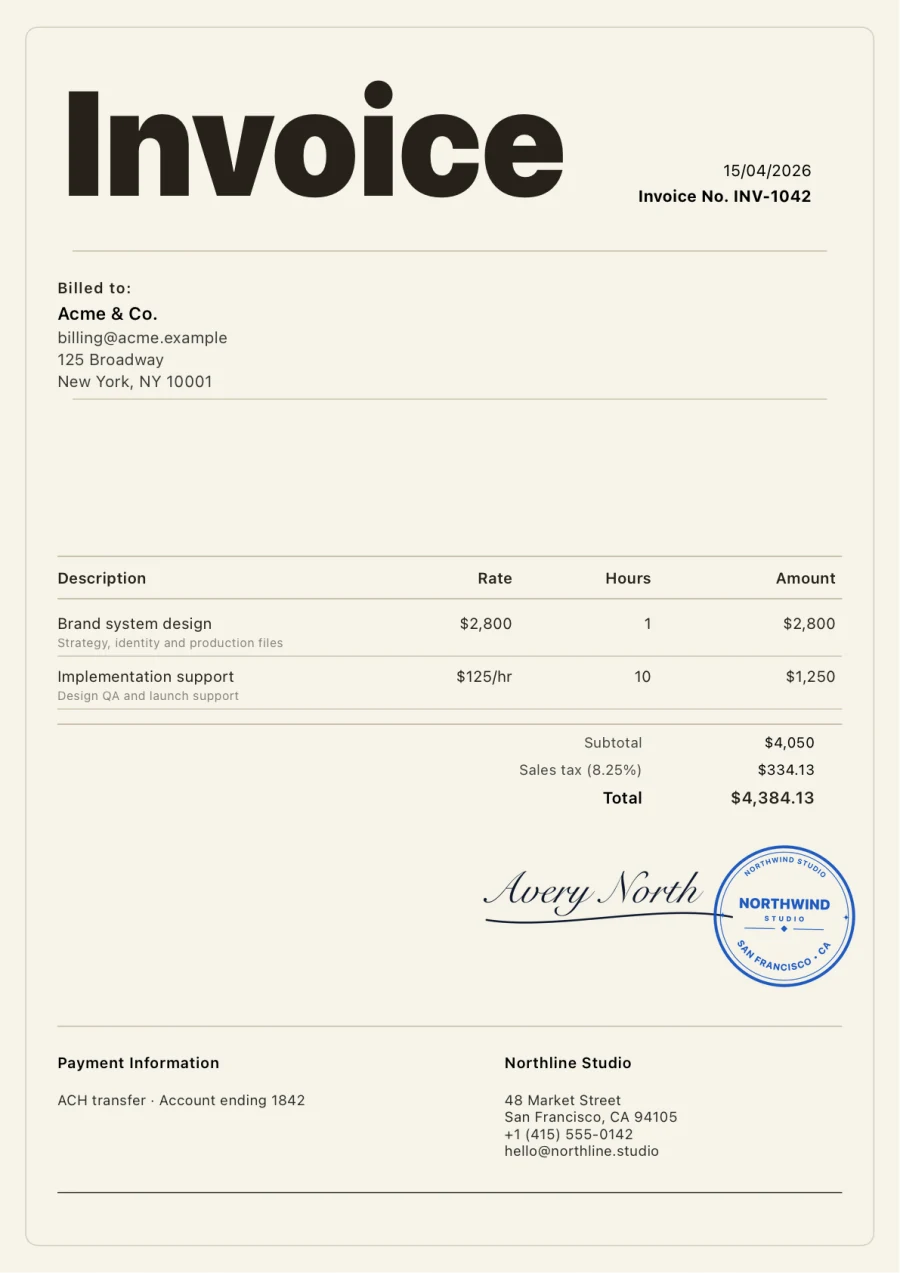
Create a reusable business mark, select it for the invoice, and inspect its size and position on the real A4 page before the document leaves your iPhone.
Real round company-seal output from the production PDF renderer.
What it helps you do
01
Draw and save a signature or create and import a company stamp for reuse inside the correct business workspace.
02
Select the signature or stamp intentionally; the document keeps an approved image snapshot instead of silently changing later.
03
Inspect scale, whitespace, contrast, nearby text, and page balance in the production A4 PDF preview.
Clear product boundary
Invoices places a saved image of your signature or company stamp on the PDF with Pro. It does not verify identity, collect a client signature, issue a certificate, or create a cryptographic audit trail.
FAQ
Yes, with Pro. Saved marks belong to a business workspace and can be selected for eligible invoice PDFs.
No. It is a visual signature or stamp image, not a certificate, qualified electronic signature, notarization, signer audit trail, or proof of identity.
The invoice keeps its own approved image snapshot, so later gallery edits do not silently restyle that document.
Invoices for iPhone
Create it on iPhone, inspect the real PDF, and share it when every detail is right.