01
Create with less repetition
Reuse saved clients, services, payment terms, currency, and document defaults for new work.
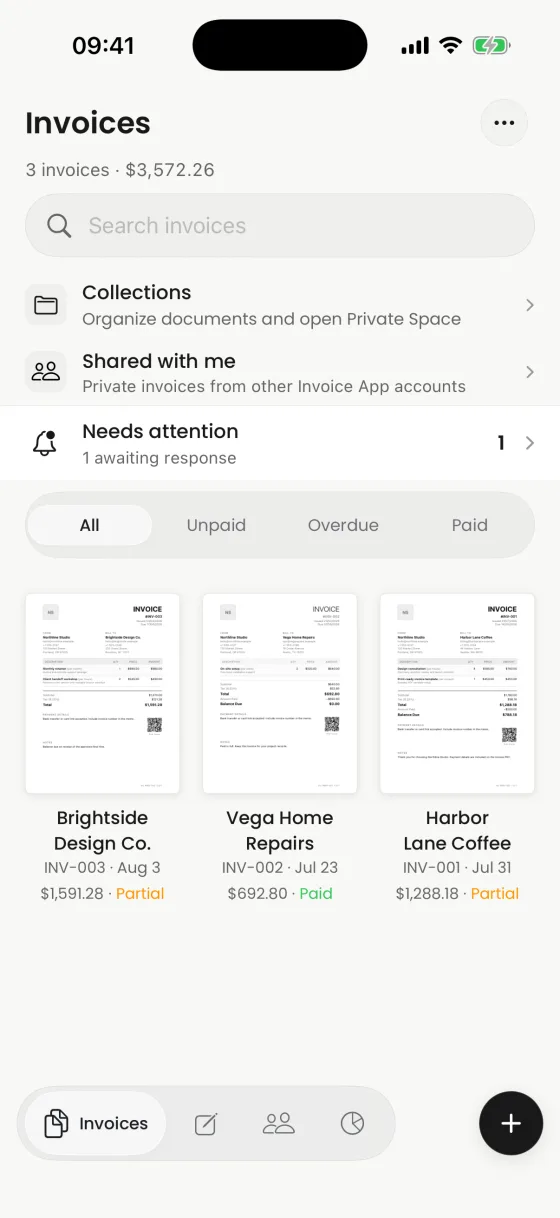
Create the document, reuse client and service details, preview every page, and share a polished PDF without moving to a desktop.
A focused iPhone workflow from draft to sent copy.
What it helps you do
01
Reuse saved clients, services, payment terms, currency, and document defaults for new work.
02
Choose a template, add your logo, adjust colors and typography, then inspect the real A4 output.
03
Send the PDF through Mail, Messages, AirDrop, Files, Print, or another compatible app.
Clear product boundary
Invoices is designed around the document itself. Totals, payment details, notes, branding, signatures, attachments, and PDF presentation stay visible before you send anything.
FAQ
Yes. You can create and edit the invoice, select a template, preview the PDF, and open the iOS share flow from the app.
Yes. Branding controls support an editable logo, colors, typography, density, and template-specific sections.
Yes. At launch, Invoices will be free to download and start. Optional Pro and Premium AI features will be offered as in-app purchases, with the current options shown in the app.
No. You can add payment instructions or a provider-neutral payment link and record payments manually, but Invoices does not process or automatically reconcile payments.
Invoices for iPhone
Create it on iPhone, inspect the real PDF, and share it when every detail is right.