01
Describe professional services
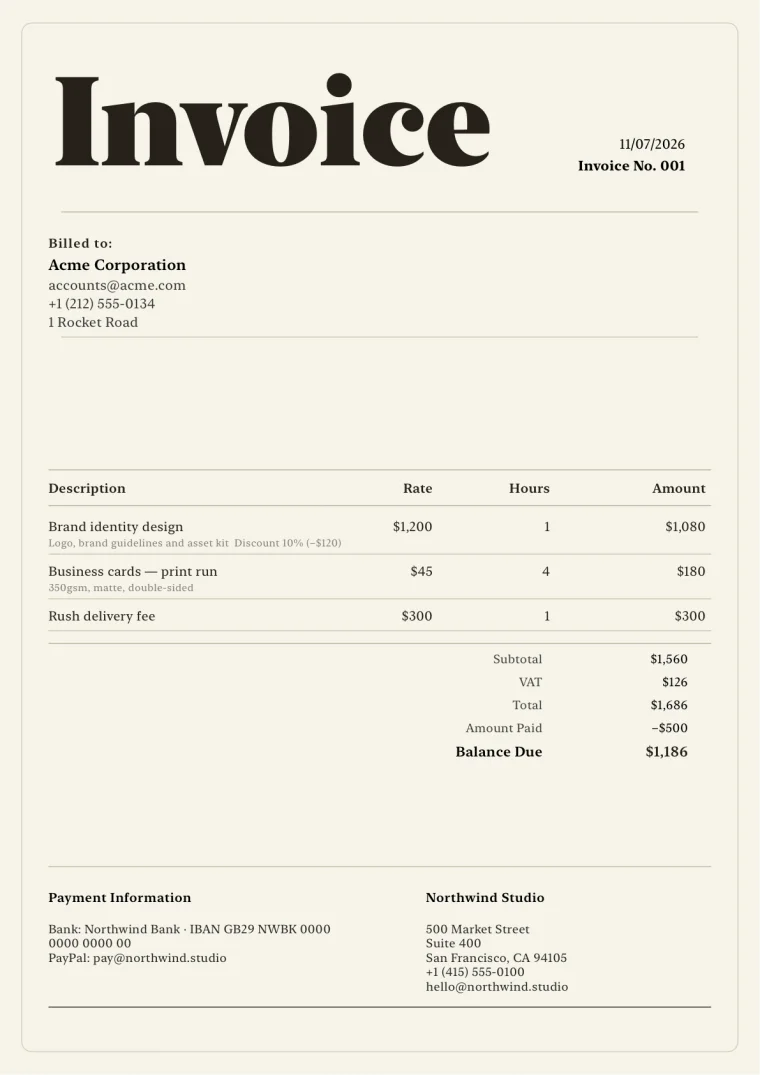
Use clear service titles, supporting detail, rates, quantities or hours, and optional notes.
Save services and rates, reuse client-specific terms, create an estimate, and present consulting work in a refined branded PDF.
Professional document control without heavyweight accounting software.
What it helps you do
01
Use clear service titles, supporting detail, rates, quantities or hours, and optional notes.
02
Reuse currency, terms, tax treatment, and template choices for new documents scoped to a client.
03
Share the invoice PDF and use eligible reporting or accountant export features when needed.
Clear product boundary
Minimal, editorial, corporate, and creative templates help consultants choose an appropriate tone without turning invoice creation into a design project.
FAQ
Yes. Line items can represent fixed services, quantities, hours, or other units you configure.
Yes. Add payment information, notes, terms, and template-aware labels and sections.
Eligible plans include reporting and accountant export workflows. The exports are records, not accounting or tax advice.
Invoices for iPhone
Create it on iPhone, inspect the real PDF, and share it when every detail is right.